LoadingThis content.guide details how to add a new product to your inventory.
Step-by-step Instructions:
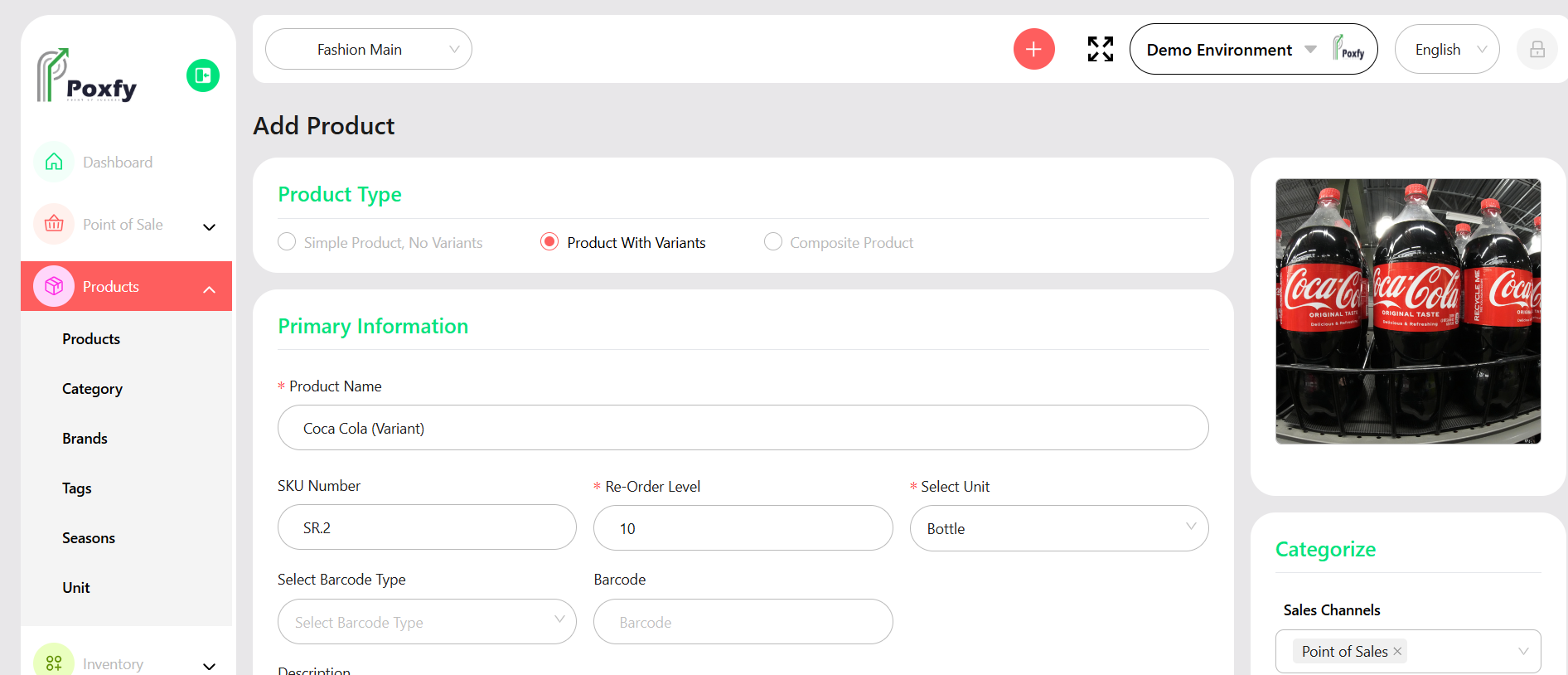
From the main sidebar navigation, click on Products.
Select Products from the sub-menu.
Click the Add Products button.
Choose the Product Type (Simple Product, Product With Variants, or Composite Product).
Fill in the Primary Information including Product Name, SKU Number, Re-Order Level, and Select Unit.
(Optional) Upload a product image.
Complete other sections like Pricing, Inventory, and Variants as applicable.
Click Save to add the product.
Figure 7: Add Product Form - Product With Variants
Tip: Ensure all product details, including SKU and pricing, are accurate for efficient sales and inventory management. Use the import feature for bulk product uploads.