
Managing User Roles and Permissions

LoadingThis content.is a critical feature that allows administrators to define granular access controls for different user roles.

Step-by-step Instructions:
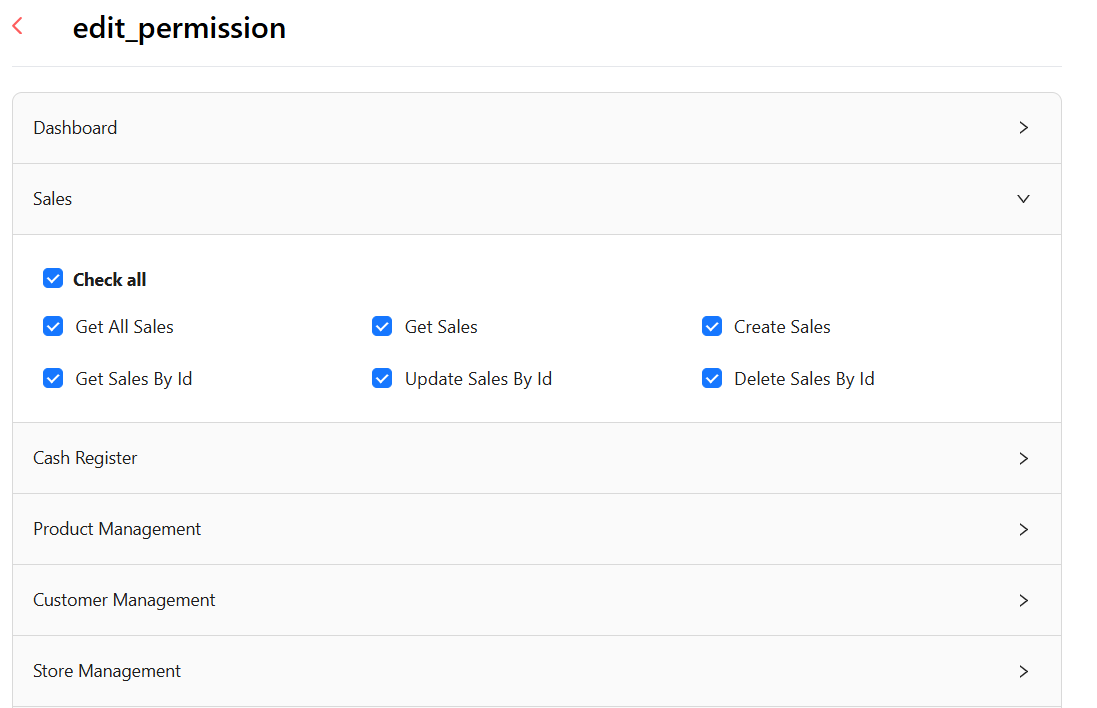
    From the main sidebar navigation, click on Users.. Select Role from the sub-menu. Click Add Role to create a new role, or click the edit icon for an existing role. On the 'edit_permission' screen, check/uncheck permissions for each module as needed. Save the role configuration.
    Role Permissions

    Figure 24: Role Permissions Management - Granular Access Control

    Permission Structure: The system supports module-level permissions with granular action-level controls including:
      Get All (View all records) Get (View specific records) Create (Add new records) Update (Modify records) Delete (Remove records)