
Viewing Sale History

LoadingThis content.guide shows how to access and review past sales transactions.

Step-by-step Instructions:
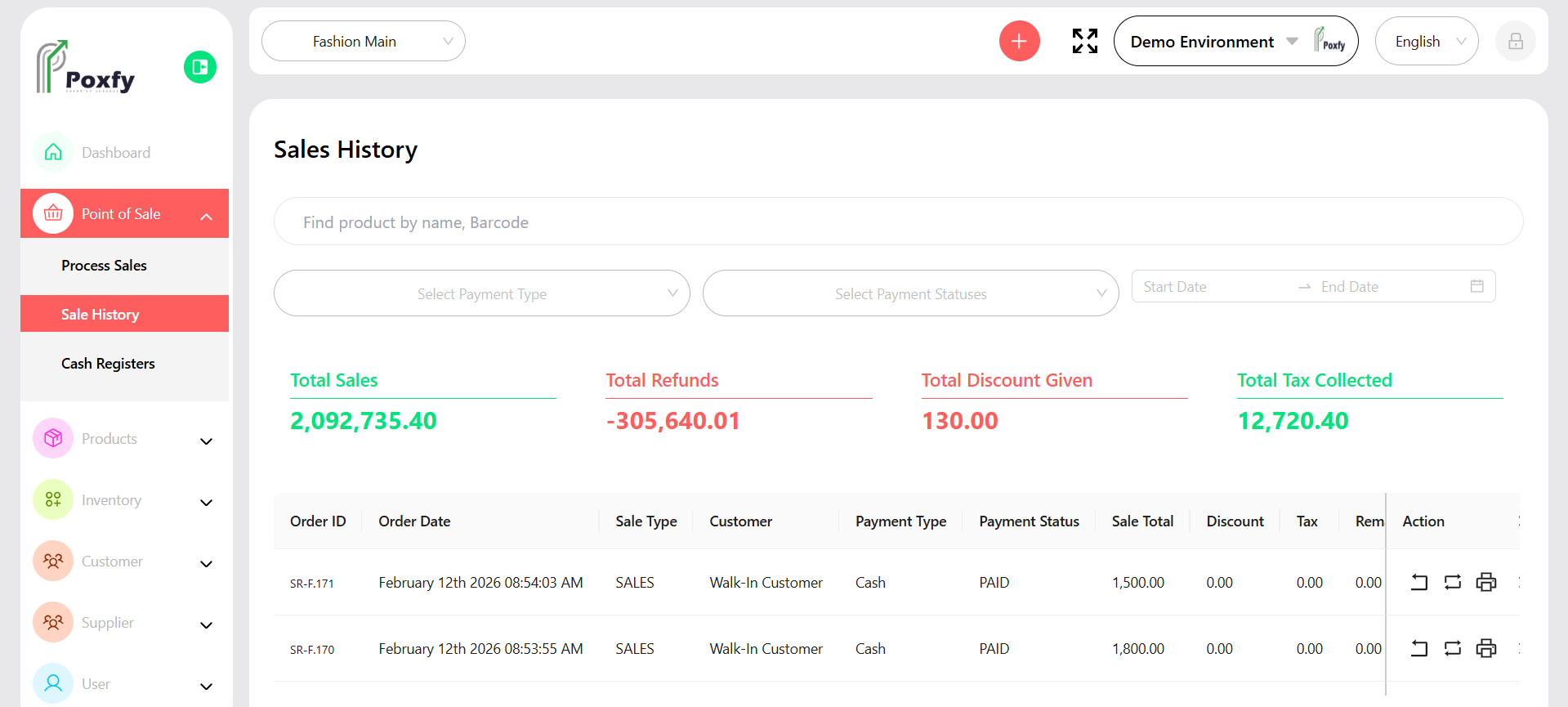
    From the main sidebar navigation, click on Point of Sale.. Select Sale History from the sub-menu. Use the search bar or filters (e.g., by date, customer) to find specific transactions. Click on a transaction to view its detailed information.
    Sale History

    Figure 6: Sale History Screen

    Tip: Sale history is useful for customer inquiries, returns, and analyzing past sales trends.