
Accessing Sales Reports
Step-by-step Instructions:
- From the main sidebar navigation, click on Reporting.
- Select Sales from the sub-menu.
- Choose the desired report tab (e.g., Sales Summary, Sales (By Items)).
- Use the Start Date, End Date, and Outlet Selector to filter data.
- Click the Export button to download the report data.
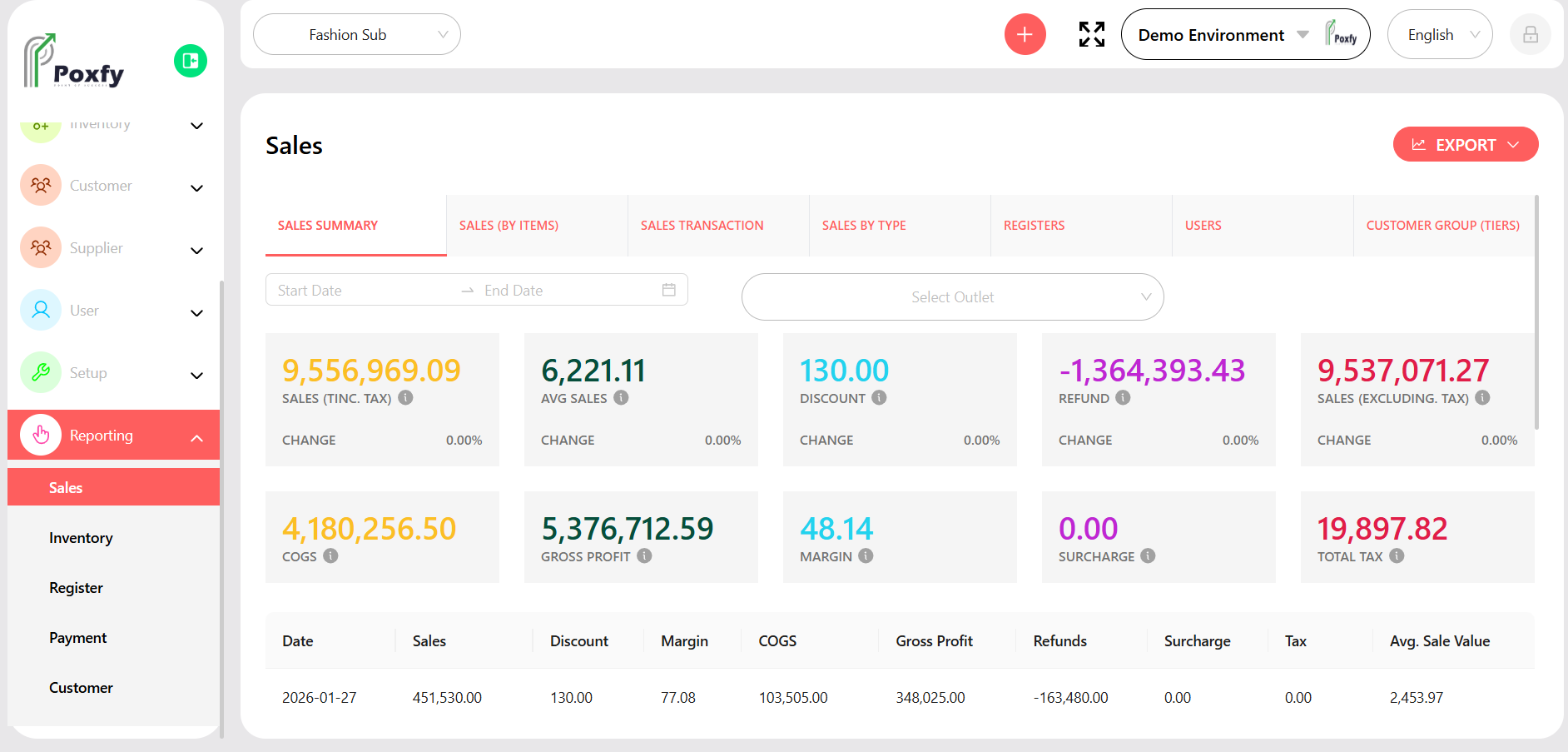
Figure 28: Sales Summary Report